手动创建windows硬盘
为什么要手动创建?
如果使用页面管理工具,创建的img硬盘,安装windows系统时,找不到硬盘,可能没有linux下创建硬盘的驱动器,
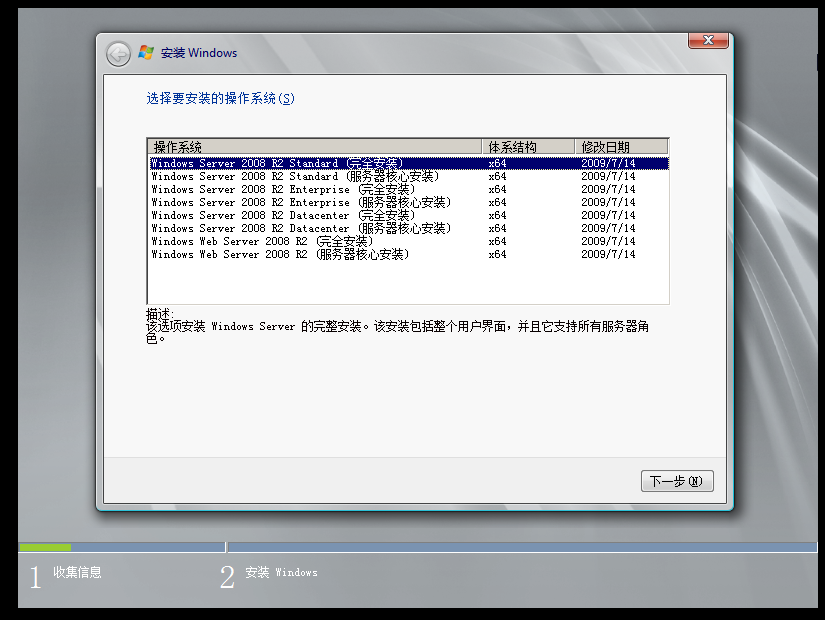
在此我安装的是windows server 2008 R2,使用的硬盘格式一定要是IDE
在KVM中安装操作系统一般是分为三步:
- 创建虚拟机所需要的硬盘,使用qemu-img命令
- 开始虚拟机,使用virt-install命令
- 按照正常安装系统,进行安装
1.创建img磁盘
| Bash |
|---|
| qemu-img create -f qcow2 /share/images/OA.img 1024G
Formatting '/share/images/OA.img', fmt=qcow2 size=1099511627776 encryption=off cluster_size=65536 lazy_refcounts=off
|
2.查看创建信息
| Bash |
|---|
| qemu-img info /share/images/OA.img
image: /share/images/OA.img
file format: qcow2
virtual size: 1.0T (1099511627776 bytes)
disk size: 208K
cluster_size: 65536
Format specific information:
compat: 1.1
lazy refcounts: false
|
3.创建虚拟机
| Bash |
|---|
| virt-install -n OA -r 32768 --vcpus=8 --os-type=windows --accelerate \
-c /share/iso/windows_server_2008_r2_x64_dvd_x15-50360.iso \
--disk path=/share/images/OA.img,format=qcow2,bus=ide \
--network bridge=br0 --graphics vnc,port=5902,listen=0.0.0.0 \
--noautoconsole --force --autostart
|
具体参数可以通过virt-install --help 查看
4.启动后开始安装windows
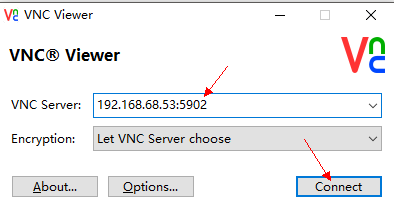
可以使用VNC工具,端口配置的5902
也可以到WebVirtMgr工具页面使用console安装