ES创建索引模版
在单节点 Elasticsearch 集群中,将副本分片数设置为 0 是一个常见的优化做法,可以避免因无法分配副本而导致的集群黄色/红色状态,还可以节省ES空间
设置方法
1. 对新索引设置副本数为 0
创建新索引时直接指定:
| Bash |
|---|
| PUT /your_new_index
{
"settings": {
"number_of_replicas": 0
}
}
|
2. 修改现有索引的副本数
| Bash |
|---|
| PUT /your_existing_index/_settings
{
"number_of_replicas": 0
}
|
3. 设置模板全局生效
| Bash |
|---|
| PUT /_template/no_replicas_template
{
"index_patterns": ["*"],
"settings": {
"number_of_replicas": 0
}
}
|
4. 实操
我们使用ELK,主要写入nginx日志
这里直接创建模版
| Bash |
|---|
| curl -XPUT 'http://elastic:xxxxxxxx@localhost:9200/_template/nginx-log-template' -H 'Content-Type: application/json' -d'
{
"index_patterns": ["nginx27-log-*","nginx34-log-*","tianzhiyuan-log-*"],
"settings": {
"number_of_shards": "1",
"number_of_replicas": 0
}
}'
|
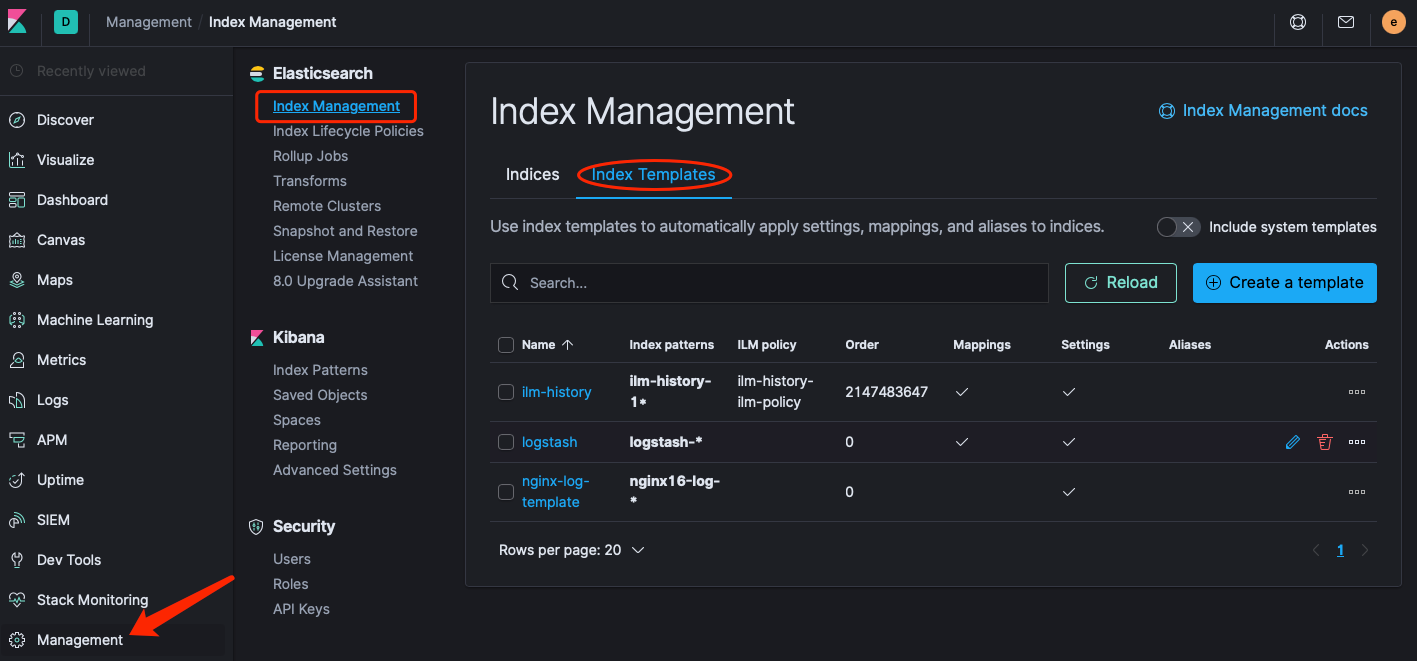
也可以到kibana-management页面管理