Smokeping 安装
介绍
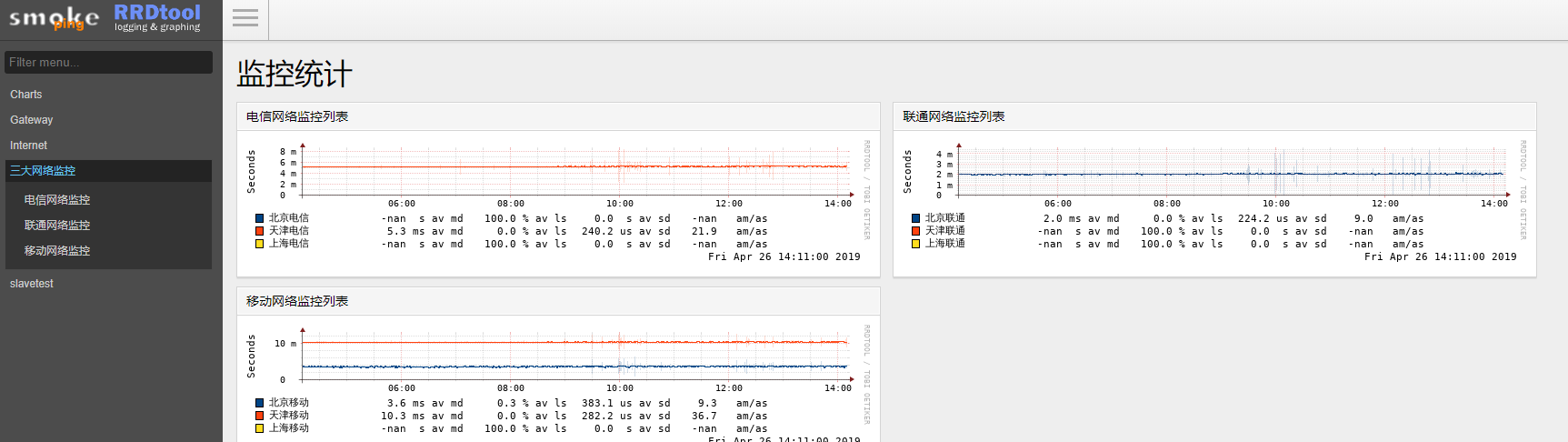
Smokeping是一款用于网络性能监测的开源监控软件,主要用于对IDC的网络状况,网络质量,稳定性等做检测,通过rrdtool制图方式,图形化地展示网络的时延情况,进而能够清楚的判断出网络的即时通信情况
smokeping 组件
先决条件Centos7系统
SmokePing并不孤立。它依赖于各种其他工具和服务。除了Unix操作系统和工作的Perl安装之外,您还需要以下组件:
| Bash |
|---|
| yum install rrdtool perl-rrdtool openssl-devel
|
验证rrdtool,报错如下:
| Bash |
|---|
| [root@localhost ~]# rrdtool
rrdtool: symbol lookup error: /lib64/libpango-1.0.so.0: undefined symbol: g_log_structured_standard
|
查看glib2版本
| Bash |
|---|
| [root@localhost ~]# rpm -qa|grep glib2
glib2-2.54.2-2.el7.x86_64
|
升级glib2版本
| Bash |
|---|
| [root@localhost ~]# yum update glib2
glib2-2.56.1-2.el7.x86_64
|
再次验证
| Bash |
|---|
| [root@localhost ~]# rrdtool
RRDtool 1.4.8 Copyright 1997-2013 by Tobias Oetiker tobi@oetiker.ch
Compiled Nov 20 2015 19:23:48
Usage: rrdtool [options] command command_options
Valid commands: create, update, updatev, graph, graphv, dump, restore,
last, lastupdate, first, info, fetch, tune,
resize, xport, flushcached
RRDtool is distributed under the Terms of the GNU General
Public License Version 2. (www.gnu.org/copyleft/gpl.html)
For more information read the RRD manpages
|
FPing(可选)
转到http://www.fping.org/获取副本。
注意fping必须安装setuid root。似乎旧版本的fping报告的传播时间为0.1毫秒而不是宣传的1毫秒...... SmokePing试图解决这个问题。它告诉你什么时候开始...让我知道它是否错了。
安装gcc
yum install gcc
下载安装fping
| Bash |
|---|
| wget http://www.fping.org/dist/fping-4.2.tar.gz
tar -zvxf fping-4.2.tar.gz
cd /opt/fping-4.2
./configure
make
make install
|
安装完后查看版本
| Bash |
|---|
| [root@localhost ~]# fping -v
fping: Version 4.2
fping: comments to david@schweikert.ch
|
EchoPing(可选)
需要它来运行EchoPing探针
安装echoping依赖包
| Bash |
|---|
| yum install popt libidn popt-devel libidn-devel
|
下载安装
| Bash |
|---|
| wget https://fossies.org/linux/misc/old/echoping-6.0.2.tar.gz
tar -zxvf echoping-6.0.2.tar.gz
cd /opt/echoping-6.0.2
./configure
make
make install
|
验证安装
| Bash |
|---|
| [root@localhost ~]# echoping -V
echoping 6.0.2 compiled with cc on localhost.localdomain (x86_64-unknown-linux-gnu)
at 2019-03-11 with options:
HTTP: enabled
ICP: disabled
OPENSSL: disabled
GNUTLS: disabled
SMTP: enabled
LIBIDN: enabled
TOS: enabled
PRIORITY: enabled
Plugins are searched in /usr/local/lib/echoping.
|
Curl (可选)
需要这个用于Curl探针。
安装
dig(可选)
需要这个用于DNS探测。
安装
SSH(系统自带安装)
您需要这个用于SSH探测。
Webserver
Perl 5.10.1或更高版本
安装smokeping
上面列出的工具一旦到位,您就可以开始设置SmokePing了。
下载最新版解压
| Bash |
|---|
| wget https://oss.oetiker.ch/smokeping/pub/smokeping-2.7.3.tar.gz
tar -zxvf smokeping-2.7.3.tar.gz
cd /opt/smokeping-2.7.3
|
运行包含的配置脚本:
| Bash |
|---|
| ./configure --prefix=/usr/local/smokeping
|
Configure将验证所有必需的perl模块是否可用。如果缺少某些内容,它将告诉您运行模块构建脚本。只需按照屏幕上的说明操作,然后再次运行configure。完成后,您就可以运行了
配置smokeping
| Bash |
|---|
| cd /usr/local/smokeping/htdocs
mv smokeping.fcgi.dist smokeping.fcgi
cd /usr/local/smokeping/etc/
cp config.dist config
|
初步编辑config
vim config
| Bash |
|---|
| ......
cgiurl = http://192.168.68.36/smokeping.cgi //把some.url 改成本地IP或者域名
......
*** Database *** //都改为60就是60秒ping60次
step = 60
pings = 60
......
+ FPing
binary = /usr/local/sbin/fping //fping指定到执行程序,或者创建个软链接也可以
|
修改验证密码文件权限
| Bash |
|---|
| chmod 600 /usr/local/smokeping/etc/smokeping_secrets.dist
|
配置http
vim /etc/httpd/conf.d/smokeping.conf
| Bash |
|---|
| Alias /cache "/usr/local/smokeping/cache/"
Alias /js "/usr/local/smokeping/htdocs/js/"
Alias /css "/usr/local/smokeping/htdocs/css/"
Alias /smokeping "/usr/local/smokeping/htdocs/smokeping.fcgi"
<Directory "/usr/local/smokeping">
AllowOverride None
Options All
AddHandler cgi-script .fcgi .cgi
Order allow,deny
Allow from all
AuthName "Smokeping"
AuthType Basic
AuthUserFile /usr/local/smokeping/htdocs/htpasswd
Require valid-user
DirectoryIndex smokeping.fcgi
</Directory>
|
添加用户密码
| Bash |
|---|
| htpasswd -b -c /usr/local/smokeping/htdocs/htpasswd admin P@ssw0rd
|
创建数据目录并添加权限
| Bash |
|---|
| mkdir -p /usr/local/smokeping/{cache,data,var}
cd /usr/local/smokeping/
chown -R apache.apache cache data var htdocs
|
启动并添加开启启动项
| Bash |
|---|
| service httpd start
systemctl enable httpd
/usr/local/smokeping/bin/smokeping --logfile=/var/log/smokeping.log
echo "/usr/local/smokeping/bin/smokeping --logfile=/var/log/smokeping.log" >> /etc/rc.d/rc.local
chmod +x /etc/rc.d/rc.local
|
基本启停命令
重启
| Bash |
|---|
| /usr/local/smokeping/bin/smokeping --restart --logfile=/var/log/smokeping.log
|
重新载入配置
| Bash |
|---|
| /usr/local/smokeping/bin/smokeping --reload --logfile=/var/log/smokeping.log
|
调试
| Bash |
|---|
| ./bin/smokeping --config=/opt/smokeping/etc/config --debug
|
没问题后启动
| Bash |
|---|
| ./bin/smokeping --config=/opt/smokeping/etc/config --logfile=smoke.log
|